

Tangofy Web
Open Tangofy right in your browser and use the tools to organise music, create tandas and prepare milongas for free. The free version includes ads and some usage limits.
From managing a music library to preparing a complete milonga, Tangofy brings together features designed around the needs of Argentine tango. Organise, explore, create and play your music with flexible tools made to fit the way you work.
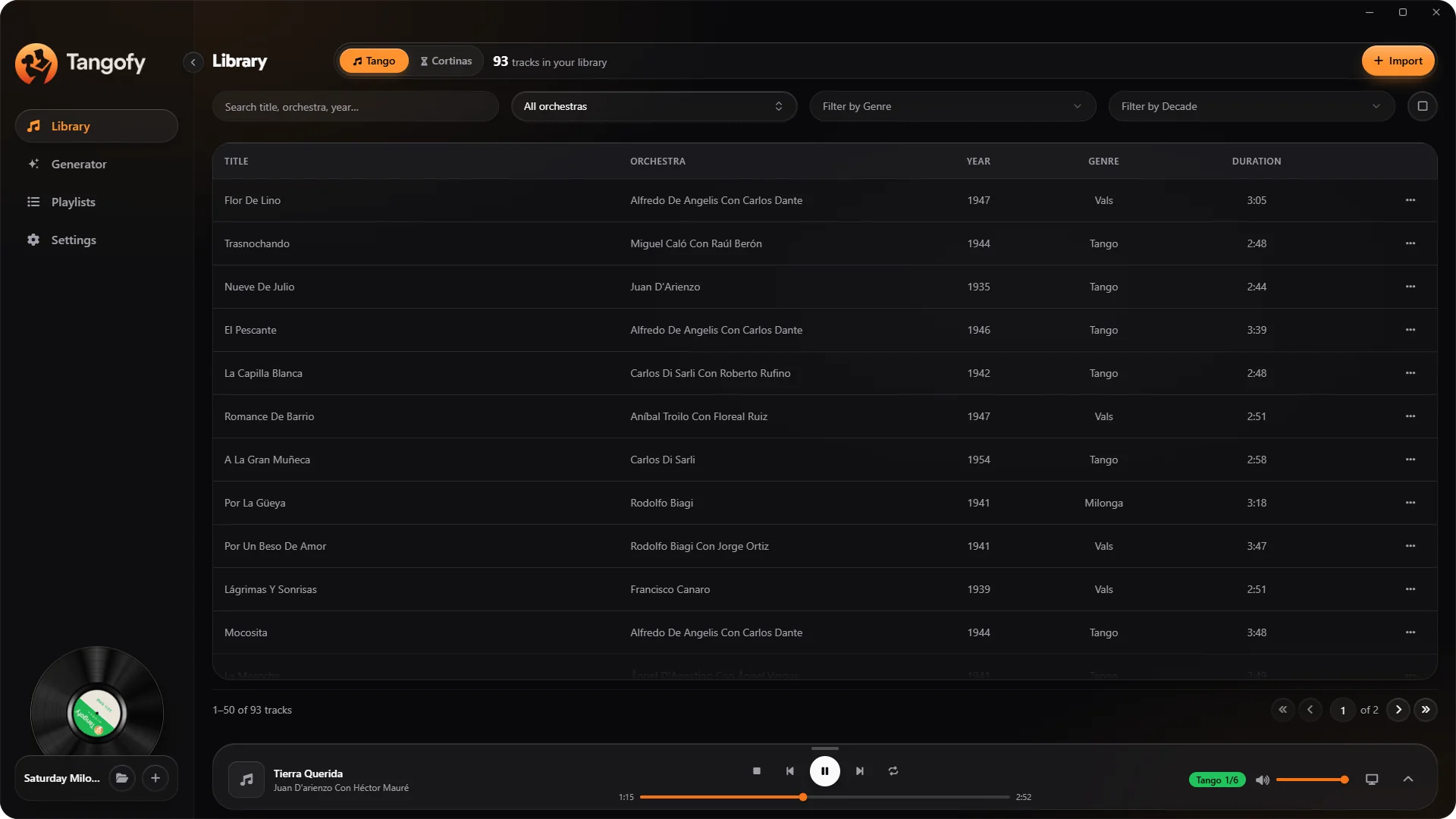
Tango collections can hold hundreds of orchestras, thousands of recordings and information from many different sources. Tangofy helps you bring order to your music, turning a collection of files into a library that is organised and easy to browse.
Import music folders from your computer, subfolders included, and gather the tracks in the project of your choice.
Supported formats include MP3, M4A, AAC, FLAC, WAV and OGG. The available information is read from the metadata or, when needed, from the file name.
Tangofy reads the information in your recordings and recognises many of the ways orchestras, singers and musical collaborations are written.
This gathers under consistent names tracks whose original files may carry different metadata.
Explore the library by orchestra, singer, genre, decade and music source. Quickly find the recordings you are looking for and build selections based on the musical features of the tracks.
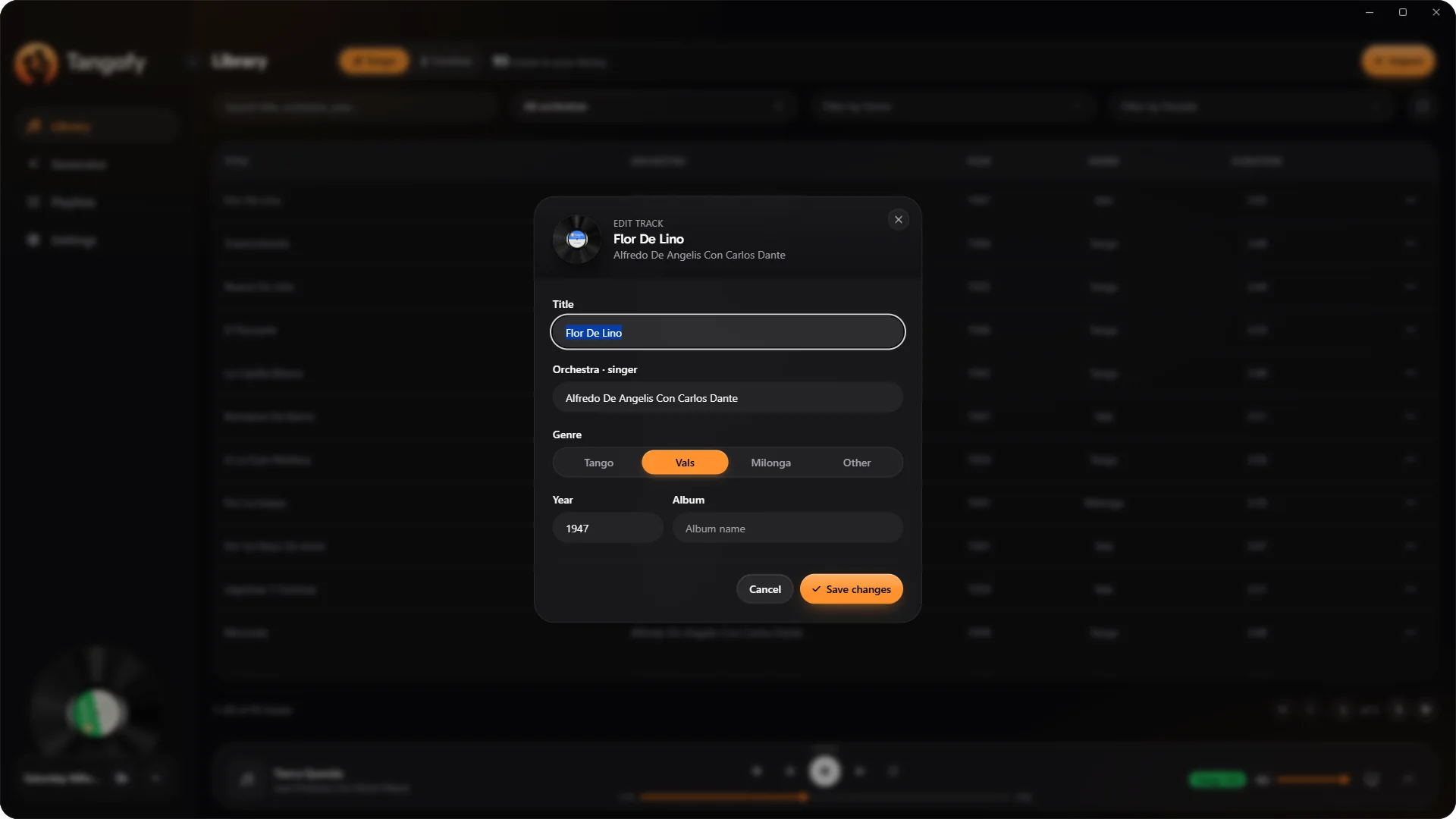
When a piece of information is wrong, you can fix it right in Tangofy. Corrections are used in the app without rewriting the original audio files.
Building a tanda takes attention to the character of the recordings and to the musical dialogue between tracks. Tangofy gives you tools to create tandas by hand or to generate proposals following criteria rooted in the musical tradition of Argentine tango.
Tanda generation takes into account the orchestra, the singers, the period of the recordings and the difference between vocal and instrumental tracks.
The result is coherent combinations to listen to, change and refine to your own taste.
Choose every track yourself or use the automatic tools as a starting point. The selection stays editable, so you keep full control over the musical structure.
The generator works with tango, vals and milonga tandas. Tango tandas can have three or four tracks.
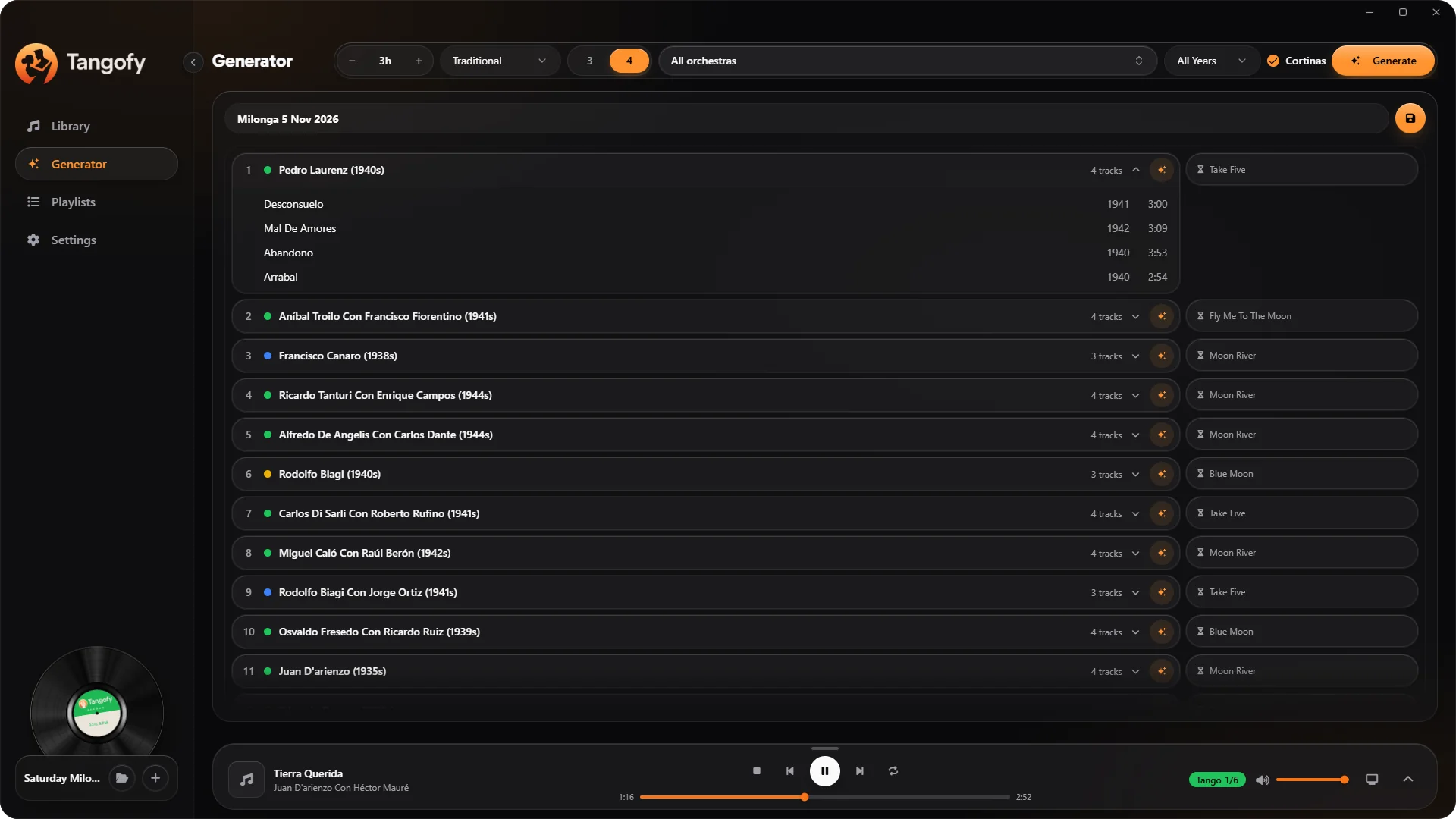
The Tangofy generator helps you build a complete running order from the character of the night. Set the length, choose a musical pattern, pick orchestras and periods and let Tangofy propose a sequence of tandas.
The result is an organised starting point to work on freely, without giving up the musicalizador's sensibility.
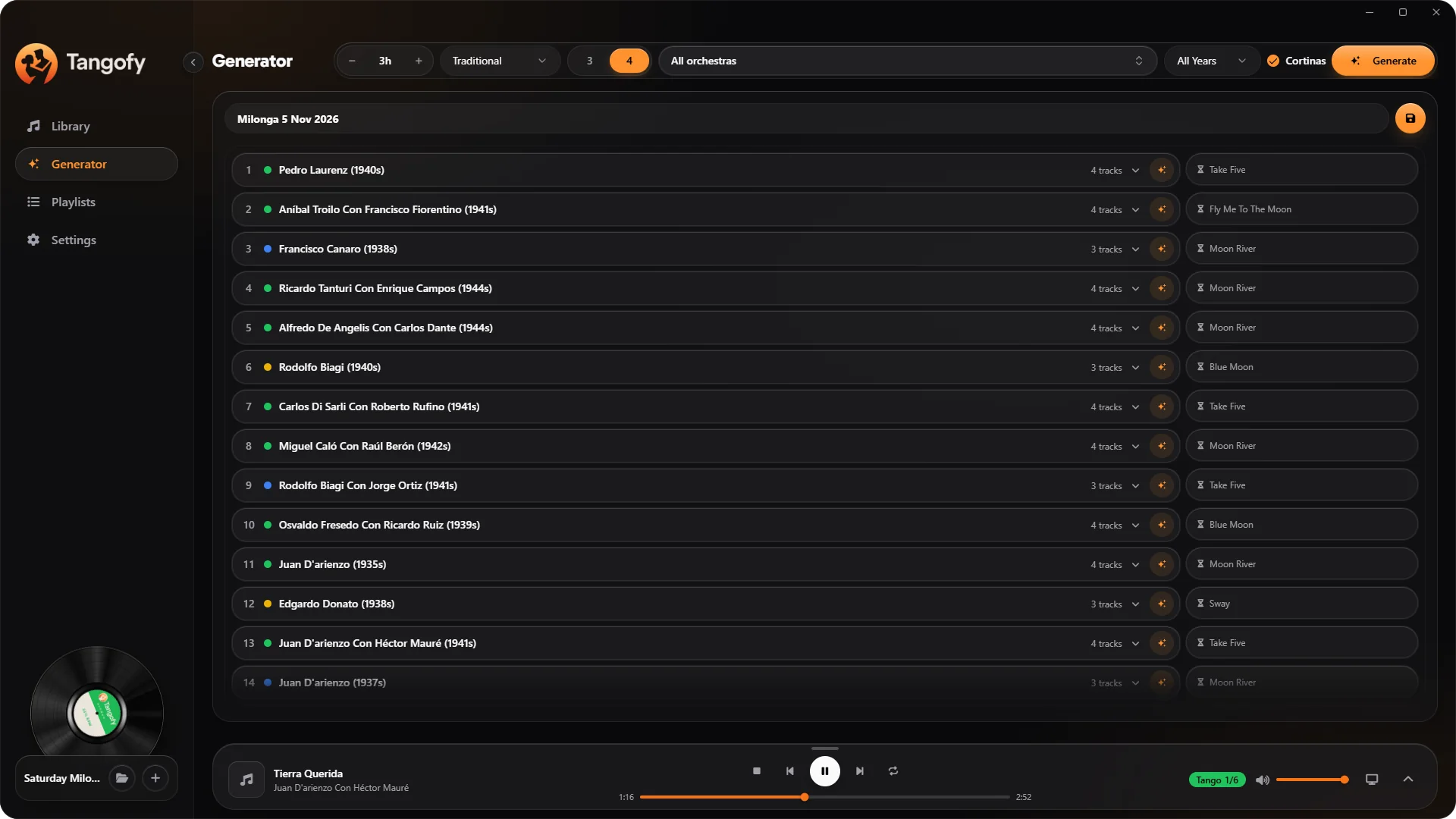
Arrange the alternation of tango, vals and milonga, choosing a pattern that suits your night.
The available patterns include the traditional sequence Tango, Tango, Vals, Tango, Tango, Milonga. The generator takes into account the length of the night, the music sources, the selected orchestras and the decade of the recordings.
Import your cortinas into a dedicated library and use them to separate the tandas. You can include them when generating the milonga and set how they play.
After generating, you can rearrange the tandas, replace tracks and adapt the playlist to the needs of the night.
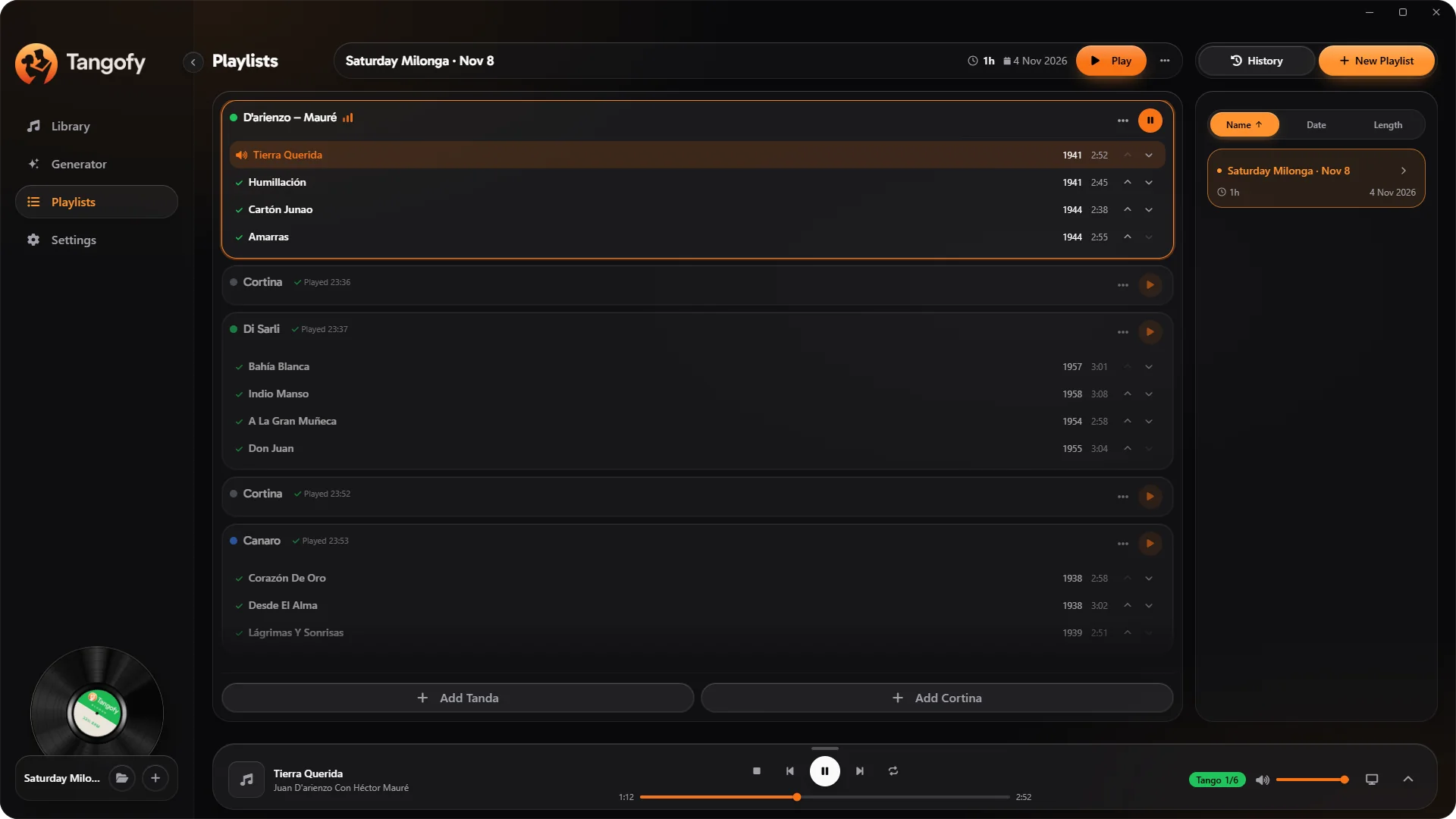
Tangofy lets you organise your work through projects, tandas and playlists. Use one project for your personal library, or keep the selections for different events, classes and prácticas apart.
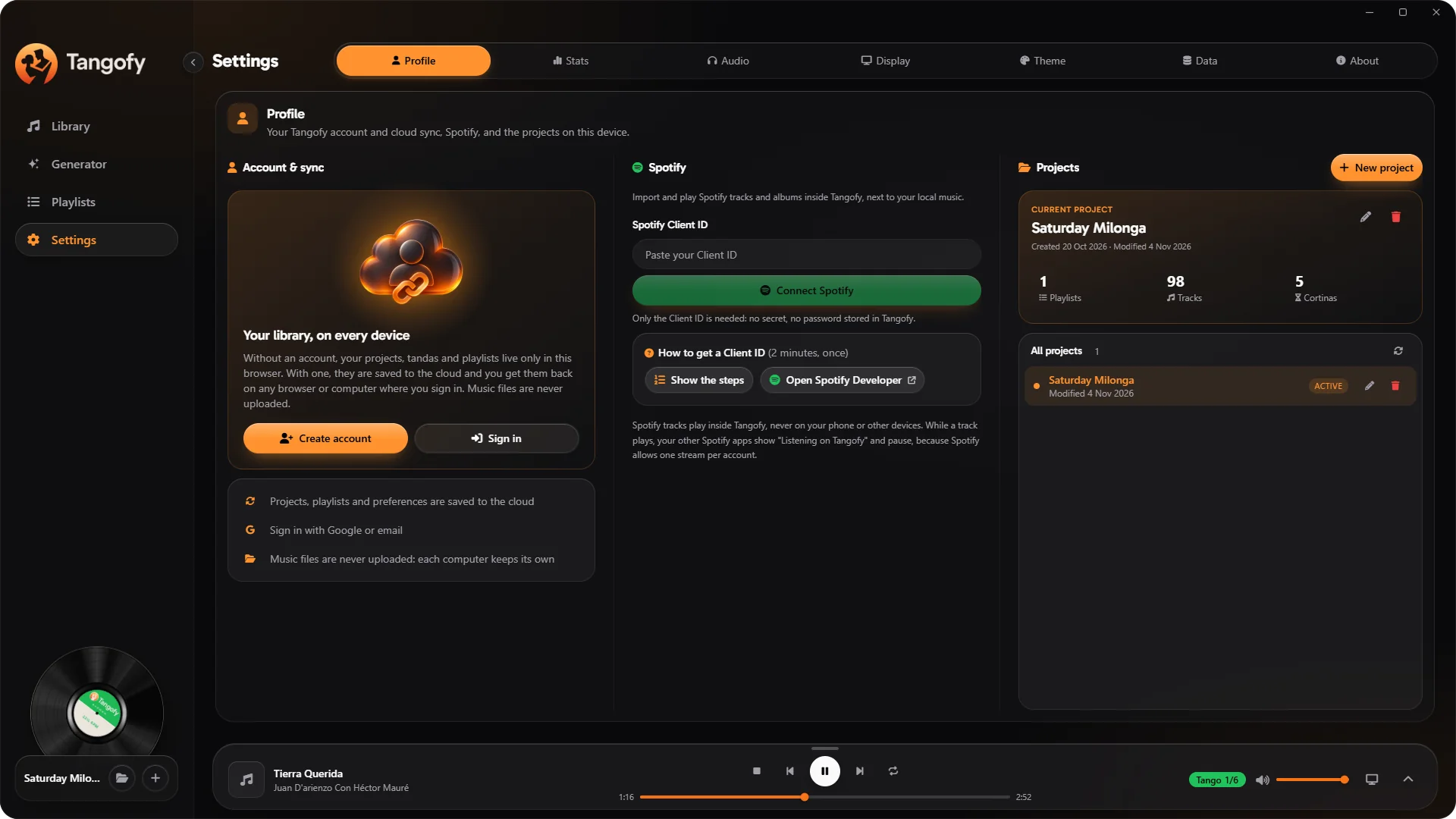
Build and edit your playlists, arrange the order of tandas and cortinas and manage playback right from the app.
Keep the music for a milonga, a festival or a class apart, with the prepared selections stored in their own project.
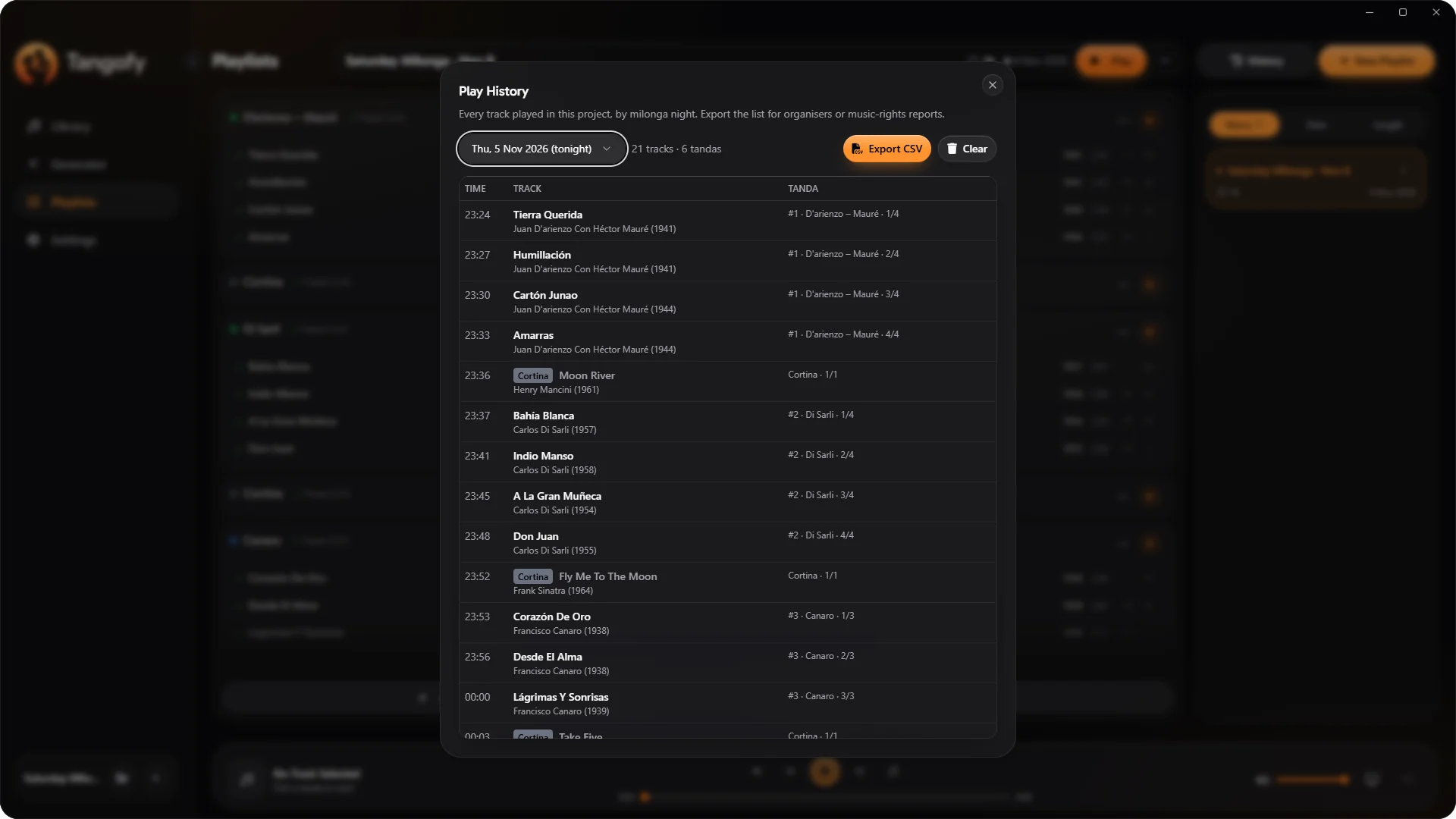
Tangofy records the tracks actually played and groups them by night, even when the event runs past midnight.
The history lets you recover the choices you made and look back at the selections used at past events.
Tangofy brings together the files on your computer and the tracks linked through Spotify, so you can explore and organise your music from one place. Use the library filters to tell the sources apart and build selections that mix tracks from both.
Connect your Spotify account to search for tracks and add them to your Tangofy library. Full playback of Spotify content requires a Spotify Premium subscription, under the service's terms.
Tracks imported from your computer stay where they are. Tangofy organises and plays them without uploading the audio files.
A tango night can move between recordings from different eras, historic pressings and modern remasters. Tangofy offers dedicated controls to make playback more even and predictable.
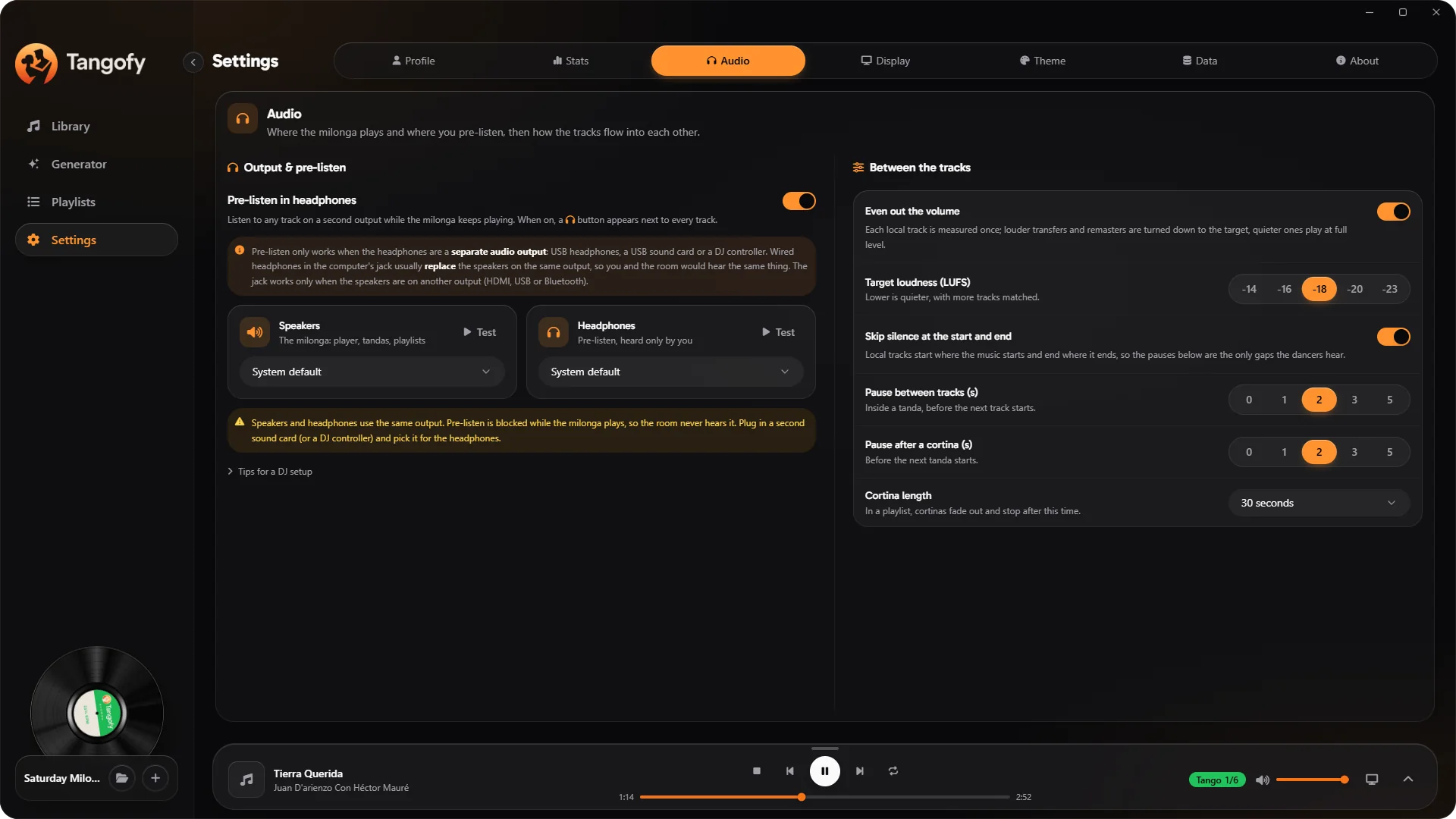
Tangofy analyses the perceived loudness of the tracks and applies the adjustments needed to reduce level differences between one recording and the next.
Loudness analysis follows the ITU-R BS.1770 standard. The level can be set between −14 and −23 LUFS. The adjustment reduces jumps in volume without replacing mastering work on the original recordings.
Use detection of leading and trailing silence to make the move between tracks feel more natural, while keeping control over the timing.
Set the length of the pauses between tracks and after cortinas, adapting the pace of playback to the night.
Decide how long a cortina plays and use the automatic fade to bring it to a close.
Pre-listening lets you check a recording, compare tracks and prepare your next choice while the music keeps playing through the main output.
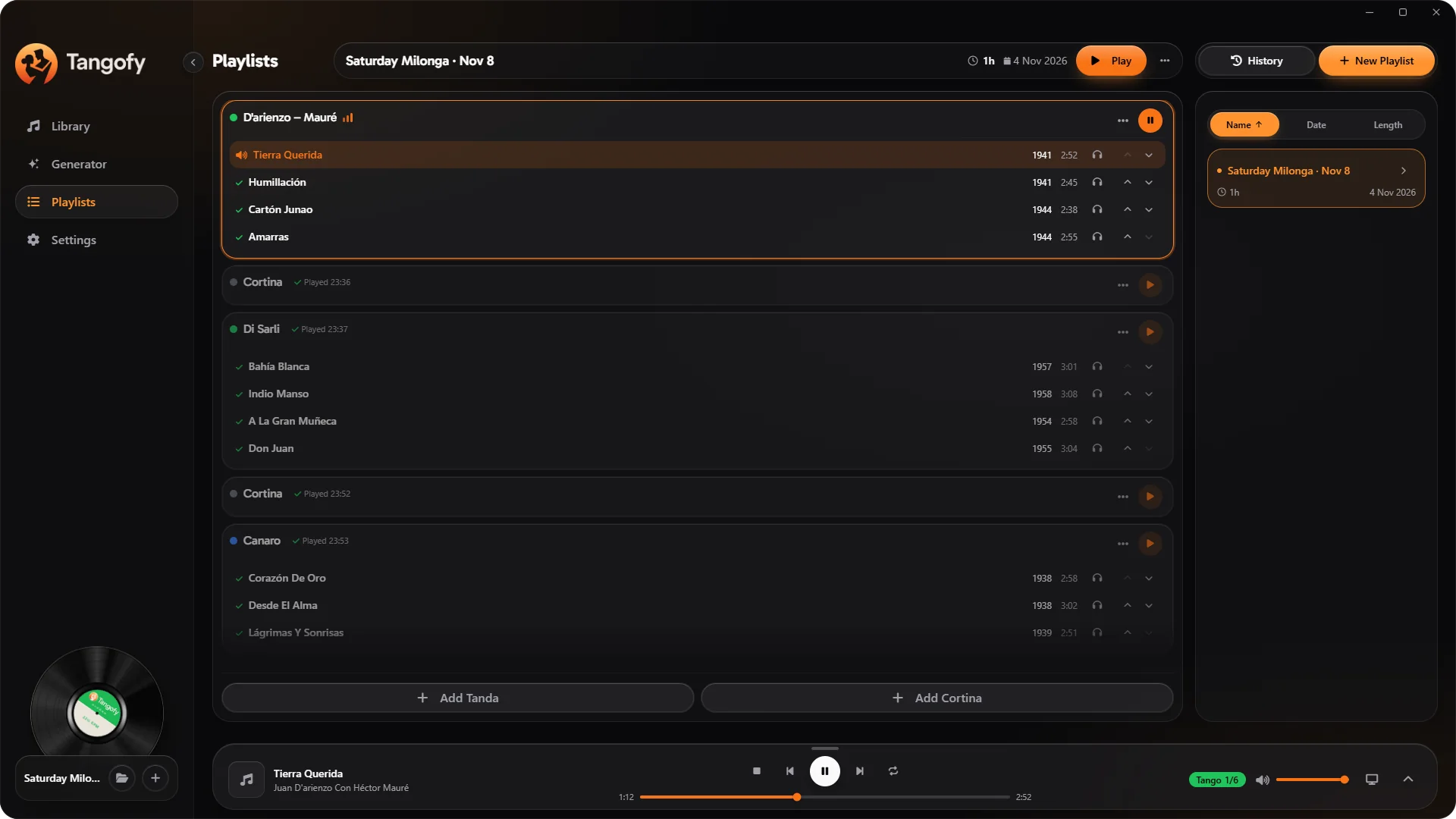
Set one output for the room and one for your headphones, using compatible audio devices. Main playback and pre-listening can be handled separately.
Adjust the pre-listen volume without changing the volume for the room.
In the Web version, choosing separate audio outputs needs a compatible browser, such as Chrome or Edge, and an audio setup that makes the needed outputs available.
Tangofy can open a view dedicated to the dancers, for a second monitor, a TV or a projector. The window stays in sync with playback, showing useful information about the music playing.
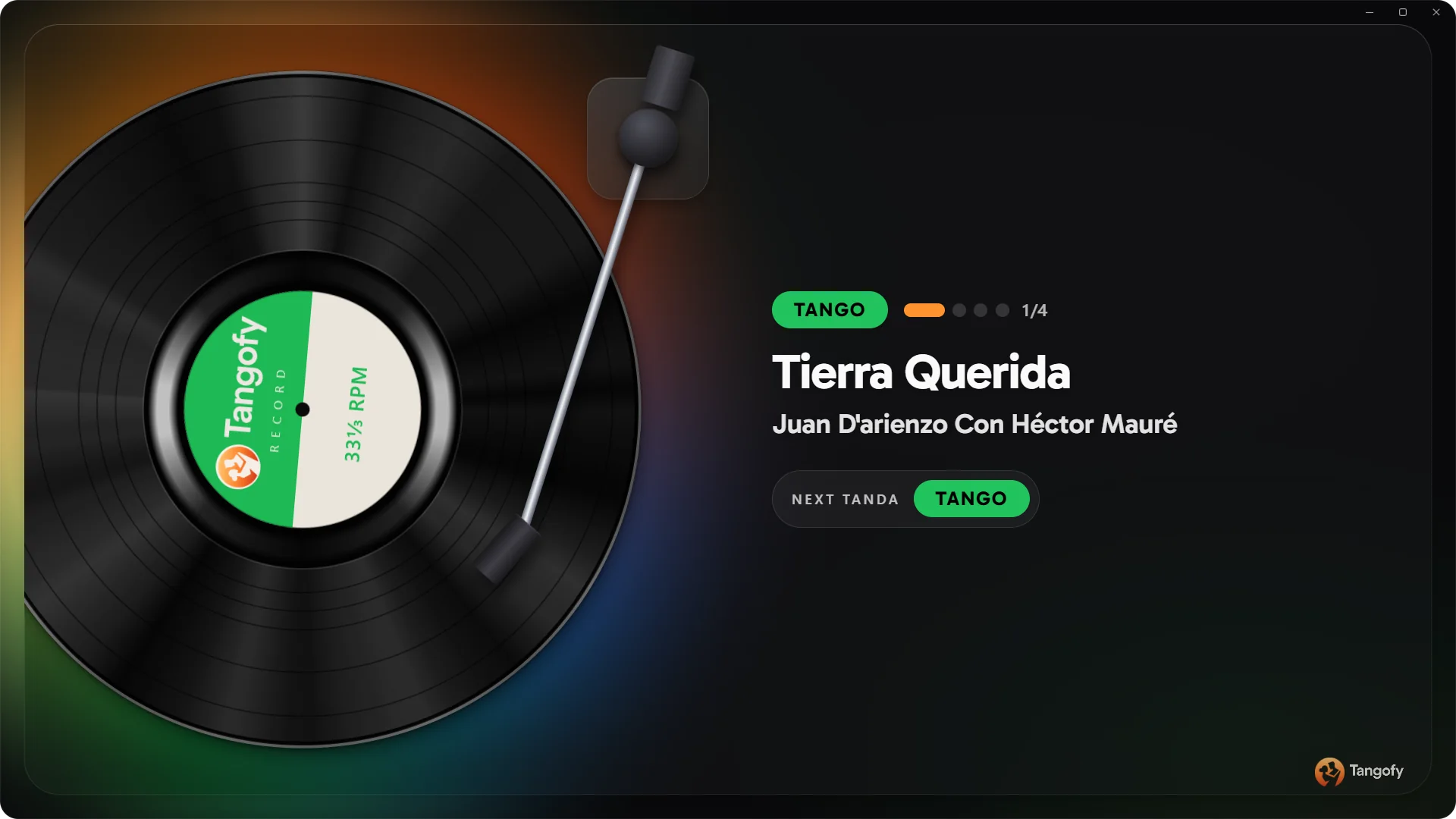
The screen shows the genre, the track title, the orchestra, the progress of the tanda and what the next tanda will be.
The interface includes an animated turntable and can run full screen, with no need to keep stepping in during the night.
With a Tangofy account you can find your projects, playlists and preferences on different computers, keeping your work organised. Sync covers project information, not uploading the audio files.
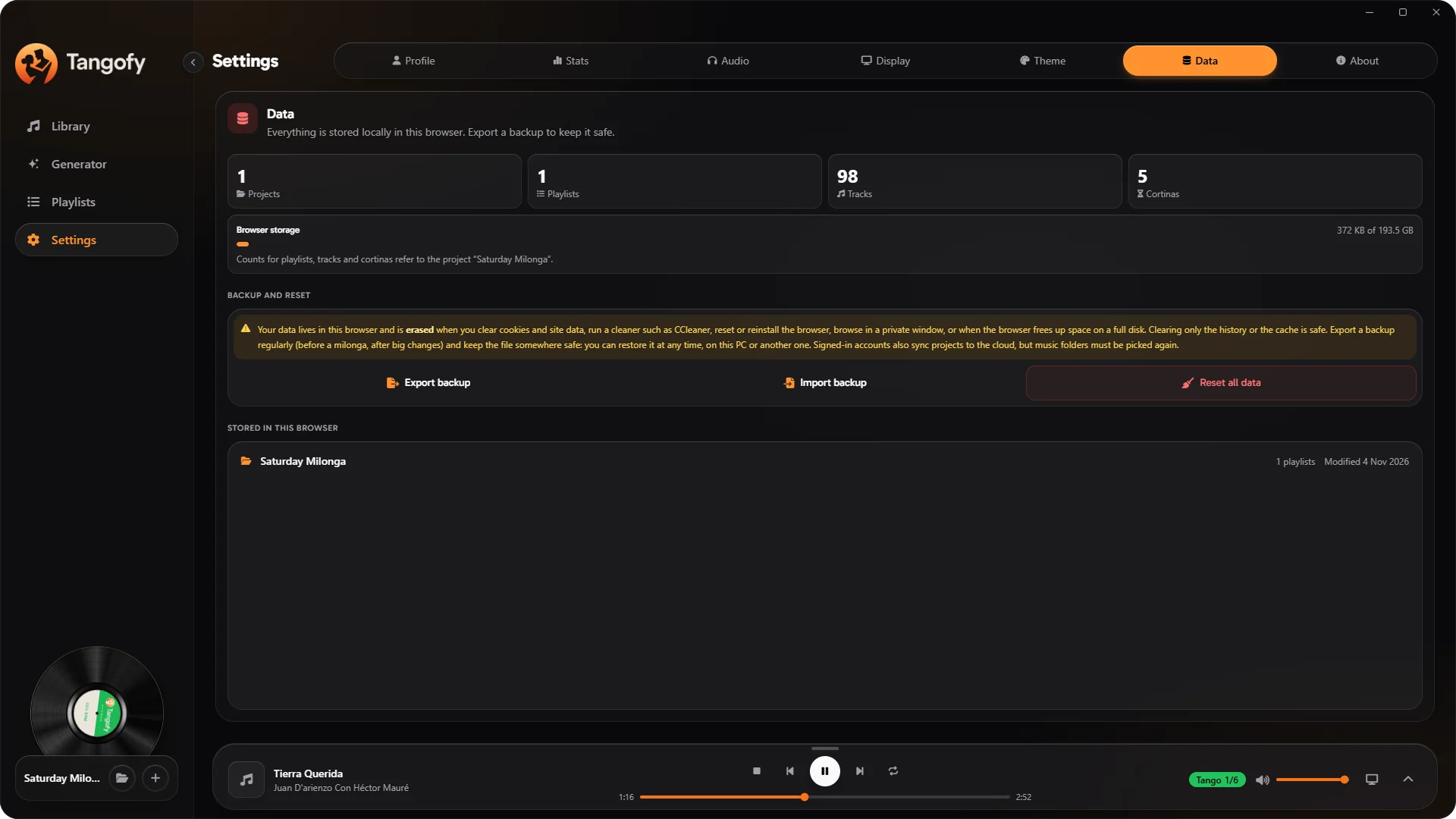
Signing in with the same account, you get back the musical structures you saved and carry on working on your selections.
Files stay on the devices where they are stored. On a new computer, the local music needs to be available there to play the tracks.
Export a backup with your projects, playlists and settings, without the original audio files. The backup keeps the way you organise your music in a file of its own.
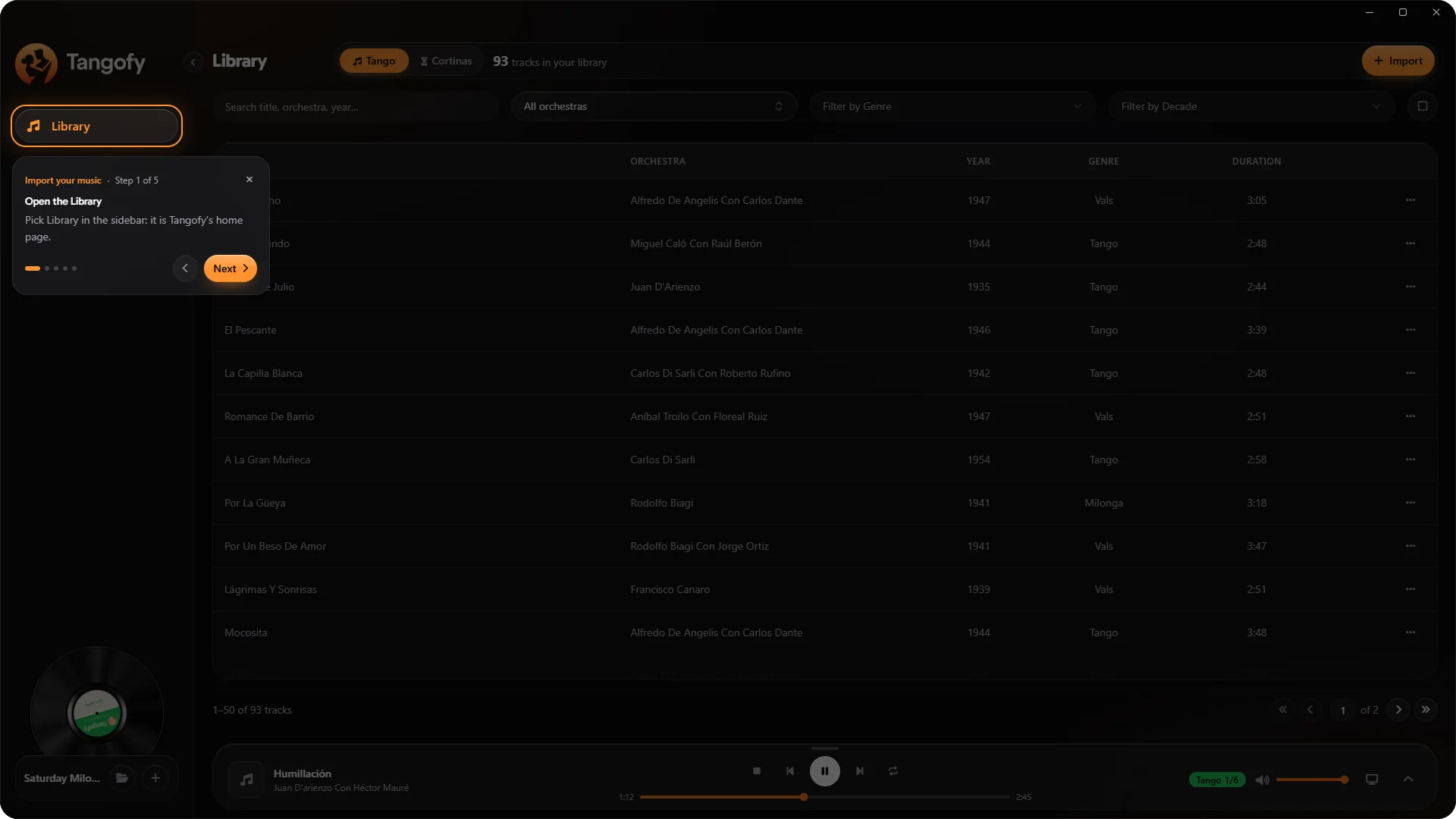
Tangofy includes interactive walkthroughs that guide the main tasks right in the interface. From importing your library to preparing cortinas and generating your first milonga, you discover the available tools step by step.
Open Tangofy right in your browser and use the tools to organise music, create tandas and prepare milongas for free. The free version includes ads and some usage limits.
Bring Tangofy to your Windows computer, with direct access to your music folders, support for even very large libraries and no speed or project limits of the free Web version.
The Desktop licence is activated with a single purchase and needs no subscription.
Whether you are preparing a milonga, planning a class or exploring a new orchestra, Tangofy gives you the tools to focus on the music.